Urban Street Width Calculator
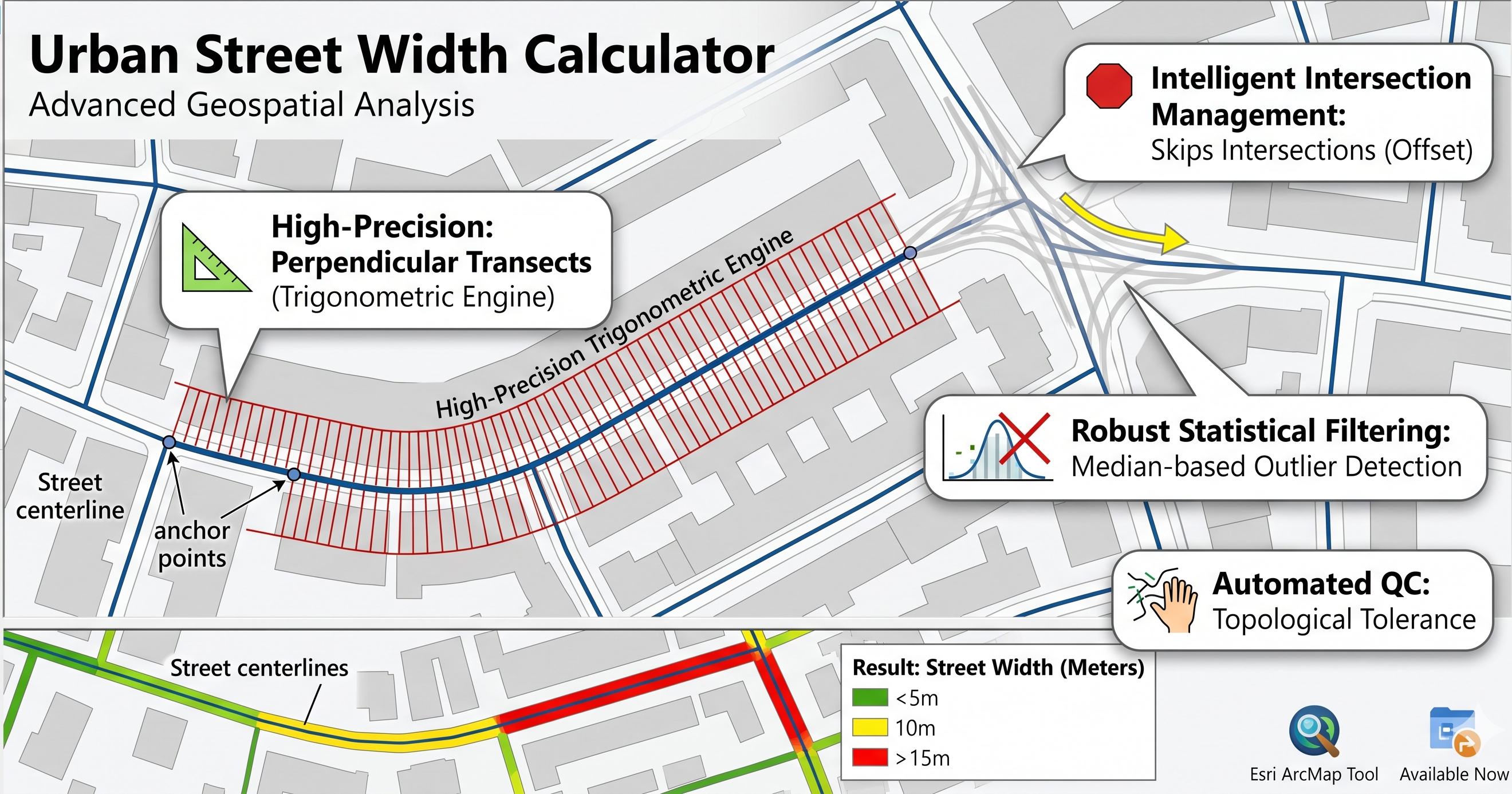
The Urban Street Width Calculator is a professional-grade geospatial tool designed for urban planners, architects, and researchers. Unlike traditional buffer methods that provide a rough estimation, this tool uses a high-precision perpendicular transect engine to calculate the exact local width of street corridors based on real building footprints.
Whether you are analyzing walkability, sunlight access, or urban density, this tool provides the robust morphological metrics needed for modern urban analytics.
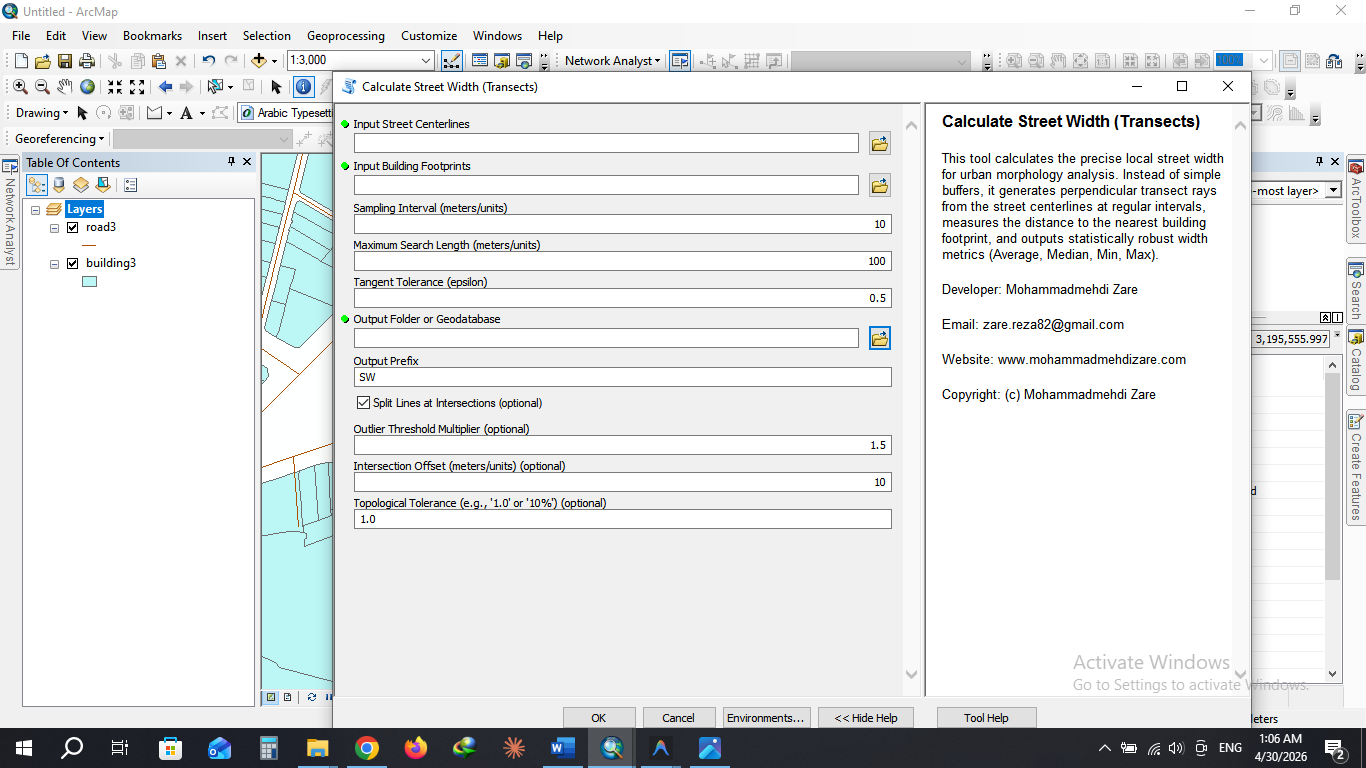
✨ Key Features
📐 High-Precision Trigonometric Engine
The tool doesn't just guess the street direction. It uses a "moving window" tangent calculation to determine the exact mathematical curvature of the street at every sampling point. This ensures that every measurement ray is perfectly perpendicular, even on sharp curves and roundabouts.
🛑 Intelligent Intersection Management
One of the biggest challenges in urban morphology is "Intersection Flare," where a street appears artificially wide at a junction. This tool solves it with two layers of logic:
- Intersection Offset: Automatically skips measurements within a user-defined distance of junctions to keep data clean.
- Midpoint Fallback: Even for tiny blocks or short street segments, the tool ensures data integrity by placing a measurement at the segment's mathematical center.
📊 Robust Statistical Filtering
To handle messy real-world data, the tool includes a median-based outlier detection system. It automatically identifies and flags "flares" (points where the ray shoots down a cross-street) and excludes them from the final averages, providing a clean, noise-free result.
🔍 Automated Quality Control (QC)
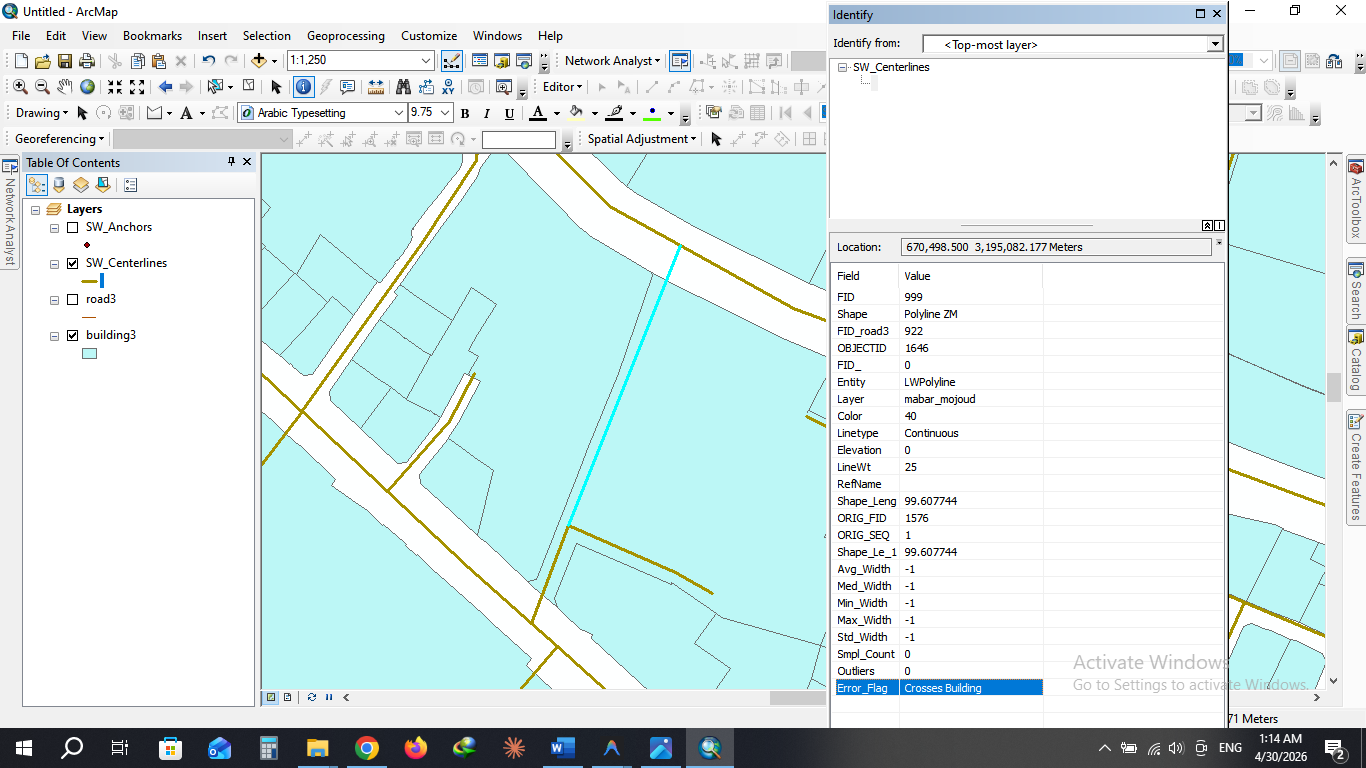
Drawing mistakes in GIS data are inevitable. This tool includes a built-in topology checker that identifies street centerlines mistakenly drawn through buildings. With a customizable Topological Tolerance, it can distinguish between minor snapping errors and major digitizing mistakes.
🛠️ How it Works (Technical Methodology)
- Planarization: The tool automatically splits the street network at every intersection to ensure segment-by-segment analysis.
- Anchor Generation: Anchors are placed at regular intervals along the centerline, strictly respecting the Intersection Offset.
- Transect Spawning: At each anchor, the tool calculates the local tangent and shoots two perpendicular rays (Left and Right) until they hit a building facade.
- Vectorized Intersection: Using a high-performance spatial intersection engine, the tool measures the distance to the nearest building facade on both sides.
- Statistical Aggregation: Metrics are calculated per segment, outliers are filtered out, and the final data is joined back to your street network.
📈 Calculated Parameters (Output)
The tool provides a comprehensive suite of metrics in the final attribute table:
| Parameter | Description |
|---|---|
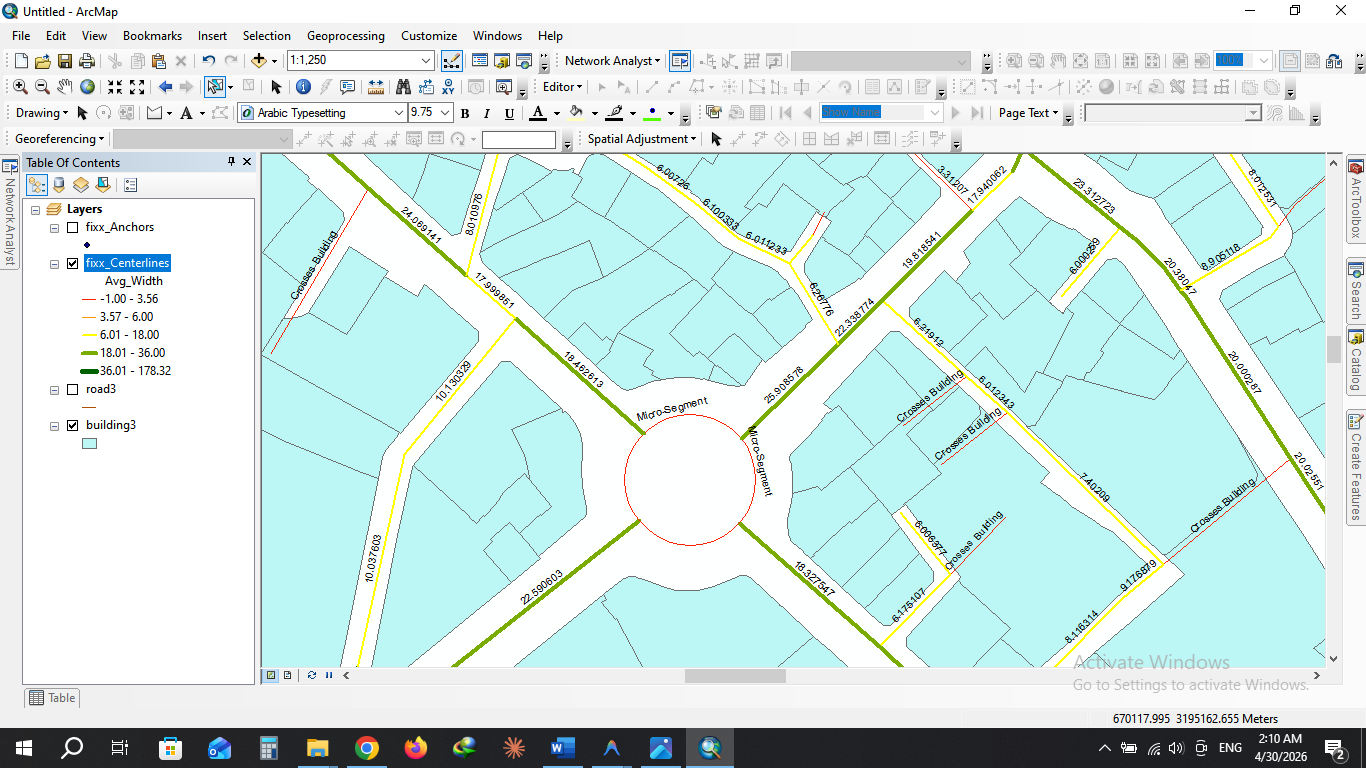
| Avg_Width | The robust average width of the street corridor (excluding outliers). |
| Med_Width | The median width, providing a reliable measure for irregular streets. |
| Min / Max_Width | The narrowest and widest points discovered along the segment. |
| Std_Width | Standard Deviation, indicating how much the street width fluctuates. |
| Smpl_Count | The number of successful measurements taken on the segment. |
| Error_Flag | Automatically flags segments as "Valid" or "Crosses Building". |
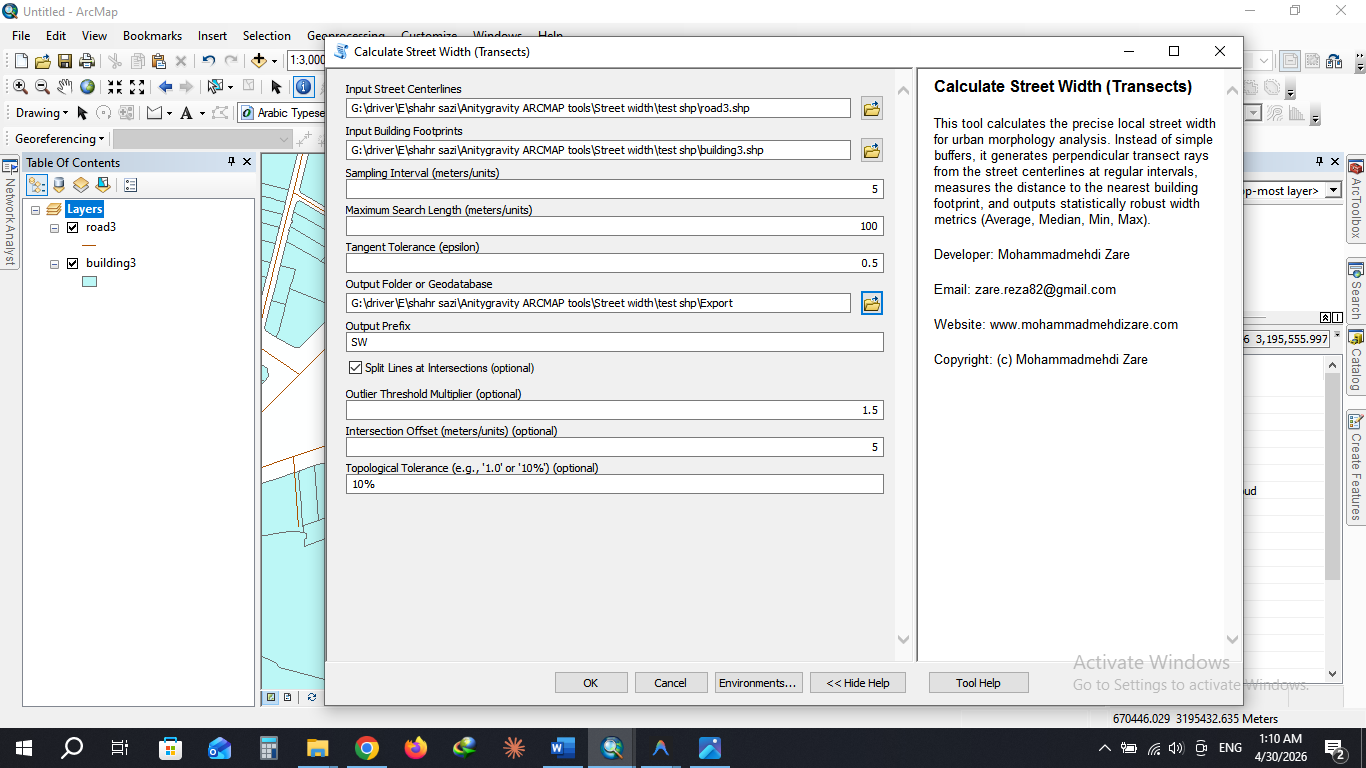
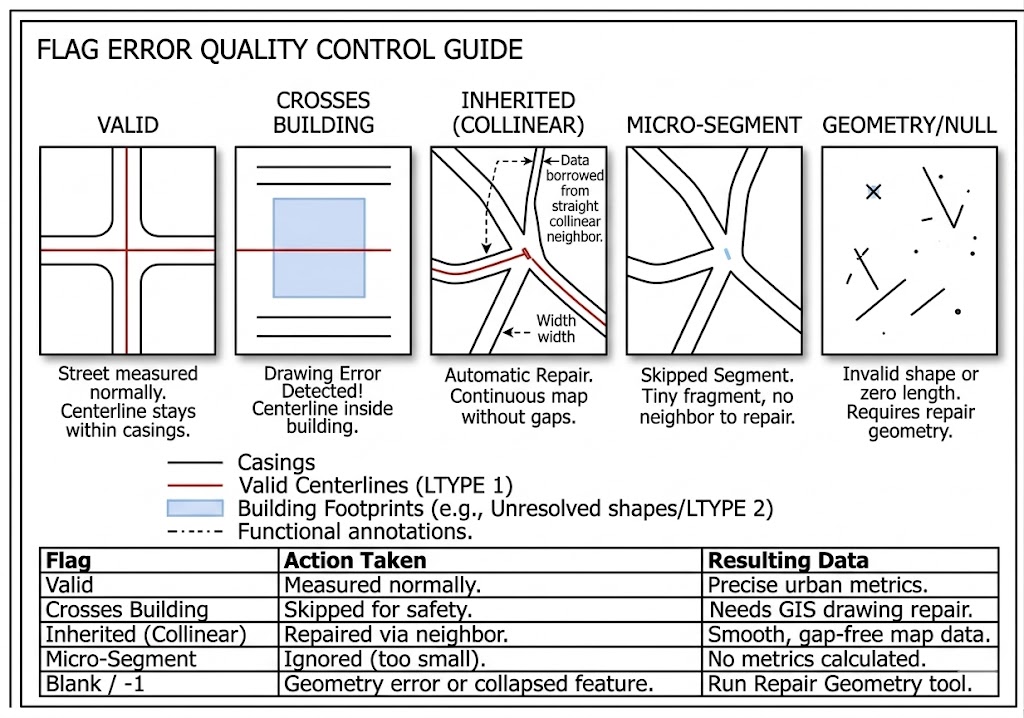
The Error_Flag field is your tool's "Quality Control" report. It tells you exactly why a street was measured or skipped.
Here is a guide to every possible value you will see in that column:
1. Valid
- What it means: Everything worked perfectly!
- Data Status: You will see accurate width numbers (Avg, Med, Min, Max).
- Context: This street was long enough to measure, and it did not illegally pass through any buildings.
2. Crosses Building
- What it means: Drawing Error Detected. The tool found that this street centerline was drawn physically passing through a building footprint.
- Data Status: All widths are set to
-1. - Context: The tool measures the "penetration depth." If the street goes deeper into the building than your Topological Tolerance (e.g., 1 meter), it stops for safety to avoid giving you corrupted data. You should check these locations and fix your drawing!
3. Inherited (Collinear)
- What it means: Automatic Repair. This was a tiny "glitch" segment inside an intersection that was too small to measure, but the tool successfully "healed" it.
- Data Status: Valid width numbers (copied from the neighbor).
- Context: The tool found the straightest main road connected to this tiny piece and "borrowed" its width. This ensures you have a continuous, beautiful map without gaps at intersections.
4. Micro-Segment
- What it means: Skipped Segment. This is a tiny piece of road (shorter than your Intersection Offset) that the tool could not repair.
- Data Status: All widths are set to
-1. - Context: This happens if a segment is extremely small and has no straight, collinear neighbor to borrow data from (for example, a tiny isolated fragment or a microscopic dead-end).
5. (Blank or -1)
- What it means: This usually indicates a geometry error, like a segment with zero length or a null geometry that ArcMap couldn't process at all. You should run the Repair Geometry tool on your inputs if you see many of these.
Summary Table:
| Flag | Action Taken | Resulting Data |
|---|---|---|
| Valid | Measured normally. | Precise urban metrics. |
| Crosses Building | Skipped for safety. | Needs GIS drawing repair. |
| Inherited (Collinear) | Repaired via neighbor. | Smooth, gap-free map data. |
| Micro-Segment | Ignored (too small). | No metrics calculated. |
🏗️ Use Cases
- Urban Morphology: Quantifying the "Grain" and "Scale" of city streets.
- Walkability Studies: Identifying narrow bottlenecks or excessively wide corridors.
- Environmental Modeling: Calculating Sky View Factor (SVF) and solar access.
- Real Estate Analytics: Assessing property value based on street frontage and width.
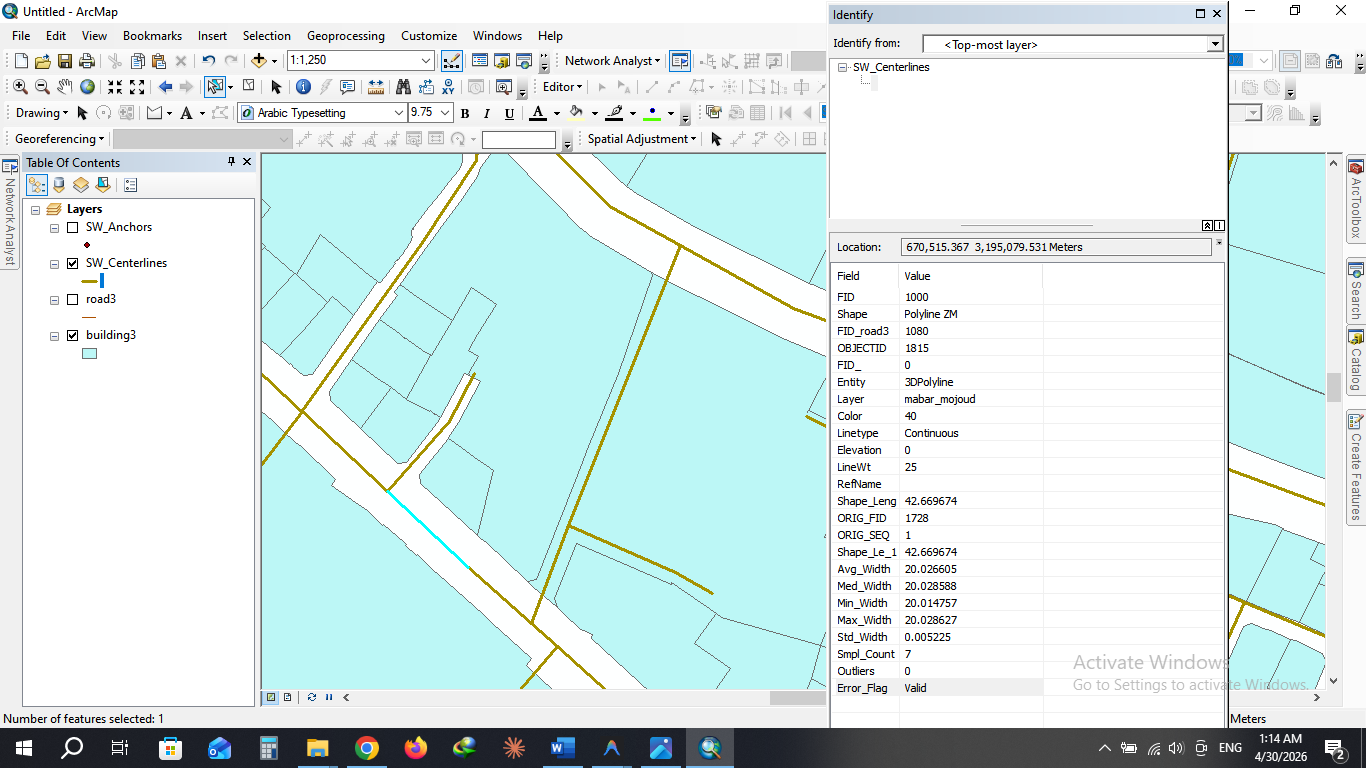
Download:
Click Here
📩 Contact & Support
For inquiries, bug reports, or custom GIS development:
- Developer: Mohammadmehdi Zare
- Email: zare.reza82@gmail.com
- Portfolio: www.mohammadmehdizare.com